


- Updates
- April 2026 Learning Hub updates
April 2026 Learning Hub updates
Quizzes – Improvements to the Quizzes evaluation | Updated
The quiz evaluation experience now includes an Incorrect filter that lets instructors quickly view quickly view answers marked incorrect. In addition, feedback fields automatically expand as needed, providing more space to review and enter feedback.
Instructors can now filter the quiz questions to review only the questions a learner answered incorrectly. This enhancement helps instructors identify trends and determine whether updates to questions or instructional materials are needed.
Previously, the available filters were Pending Evaluation and Retaken questions only. With this update, the new Incorrect filter displays only questions marked incorrect.
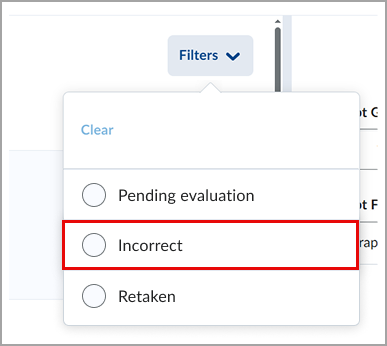
Figure: Filtering options for quiz answers after the update.
Additionally, feedback fields for questions are now displayed as a single line and automatically expand when instructors enter additional comments. Previously, the Feedback field for each question displayed several lines even when no feedback was entered, requiring users to scroll unnecessarily.
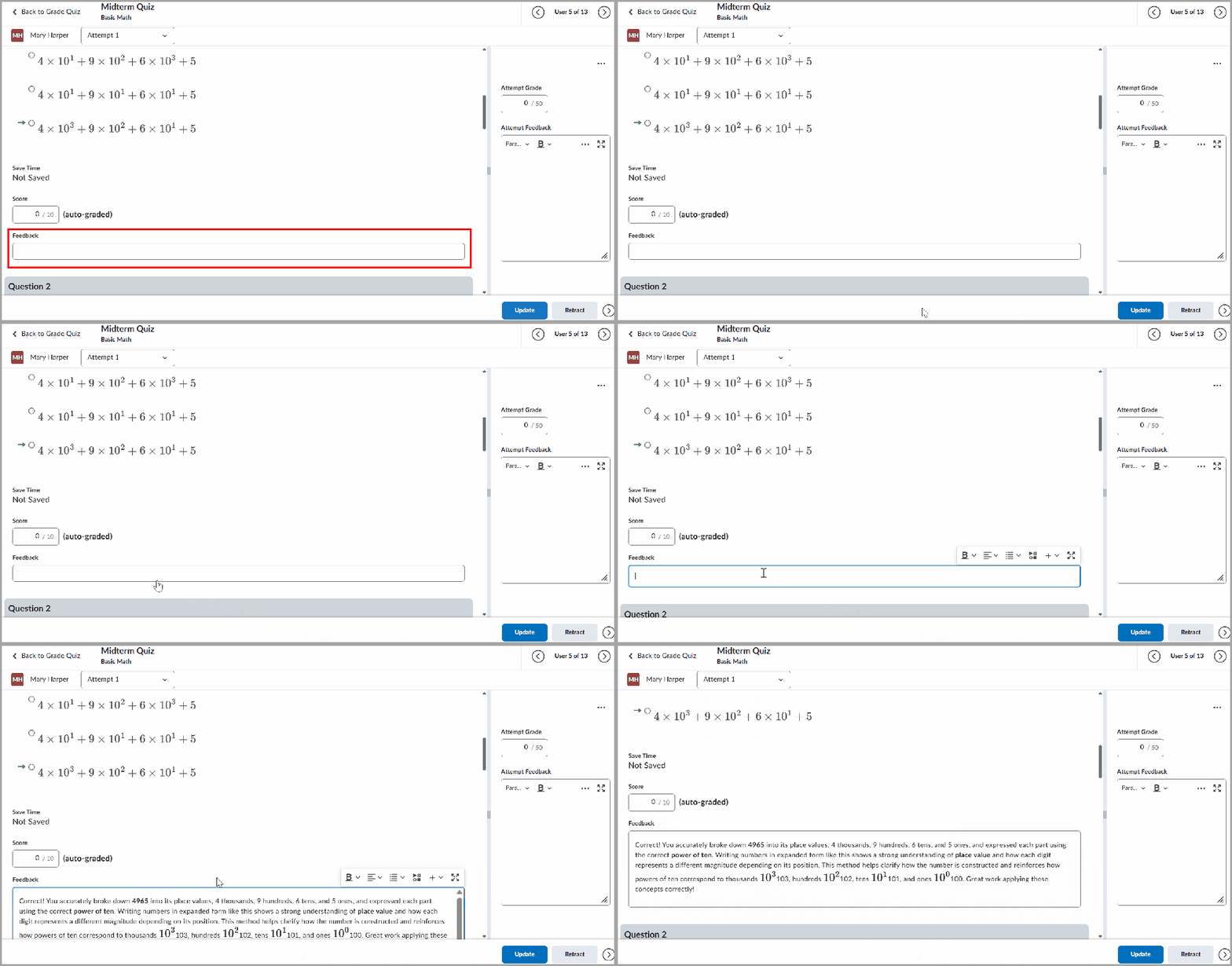
Figure: When evaluating a quiz question, enter additional comments to your Feedback in an automatically expanding field.
For more detailed information, please visit the D2L Brightspace Community – April 2026 Updates
** Not all features listed on the link are used with the BCIT Learning Hub