


- Updates
- June 2026 Learning Hub Updates
June 2026 Learning Hub Updates
Rubric Icon in Assignments, Discussions, and Quizzes | Update
Instructors can now identify which Assignments, Discussions, and Quizzes include attached rubrics directly from list pages, helping instructors and administrators quickly audit assessments, confirm rubric setup, and reduce configuration errors.
When a rubric is attached to an activity, a rubric icon appears beside the item in the Assignments, Discussions, and Quizzes list pages. Written response questions in the Quiz Creation page also display a rubric indicator when a rubric is attached. Activities that include both rubrics and learning outcomes continue to display the rubric icon.
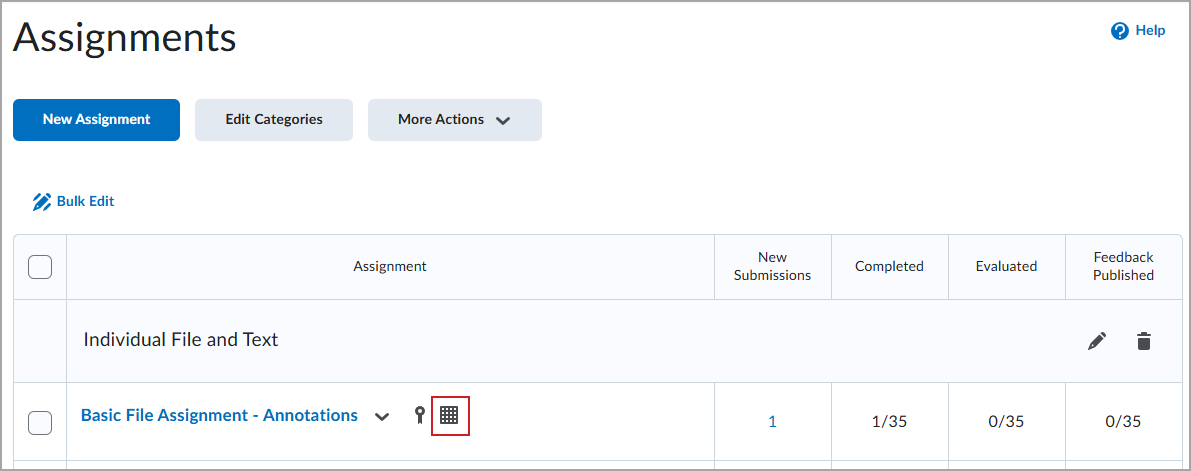
Figure: Rubric icon displayed beside assignment in Assignments list.
The rubric icon is informational only and does not link to the rubric, consistent with other informational icons such as release conditions and anonymous marking.
For more detailed information, please visit the D2L Brightspace Community – June 2026 Updates
** Not all features listed on the link are used with the BCIT Learning Hub