


Kaltura My Media – Delete
In this job aid will guide you through the steps to safely and efficiently delete content from your site, ensuring your platform remains clean and up-to-date.
Delete from My Media
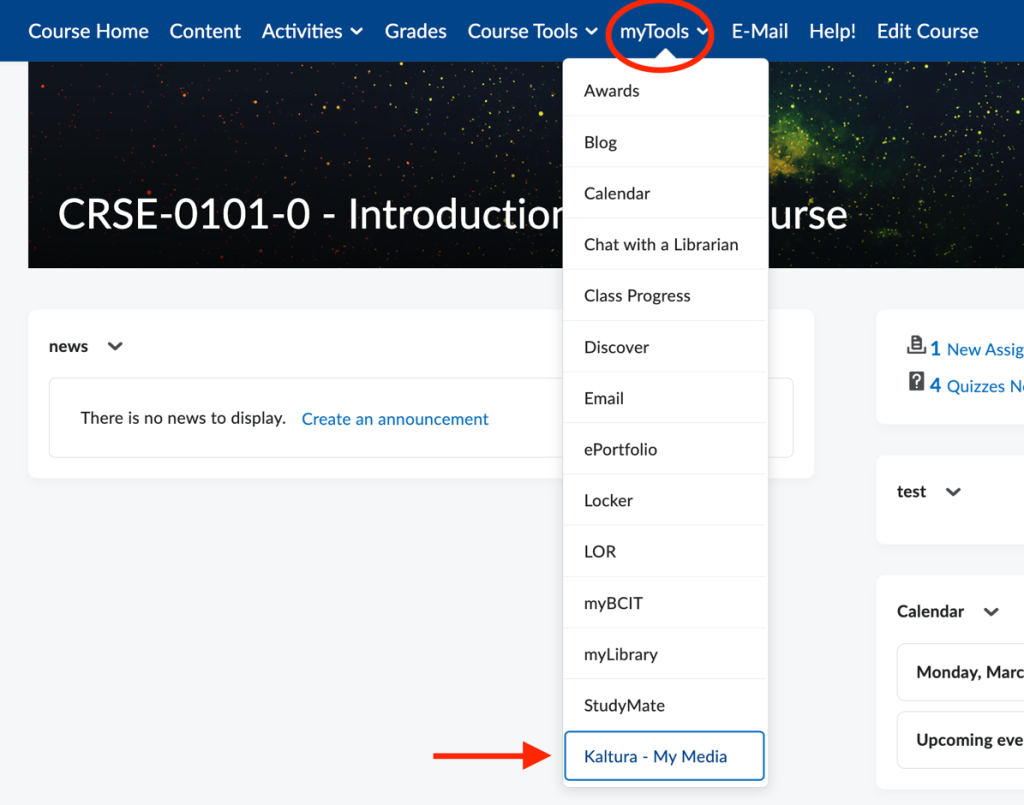
Access Kaltura My Media from the myTools menu inside a Learning Hub course.
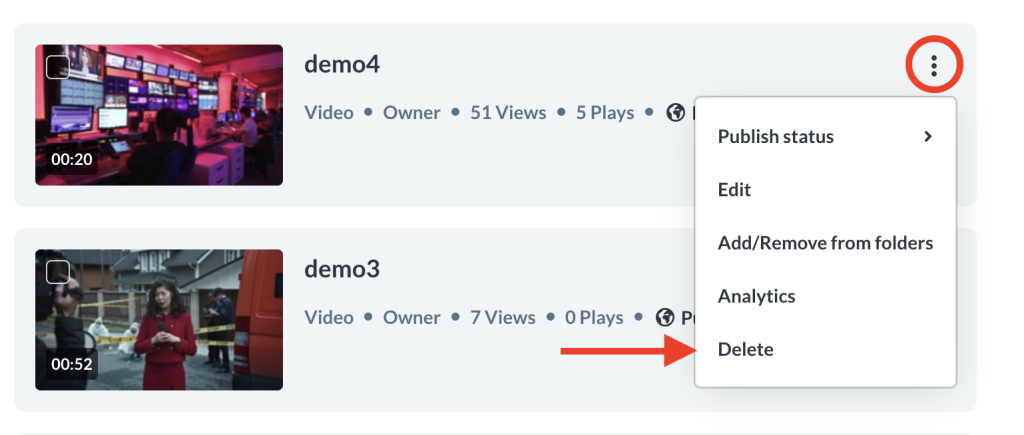
Next, click on the ellipses menu for the entry you wish to delete and the click the Delete option.
A message will appear asking if you would like to move the entry into the recycle bin. Click Delete to move the item.

Entries sent into the recycle bin will exist for 30 days. After this the system will delete the entry permanently.
Deleting multiple entries
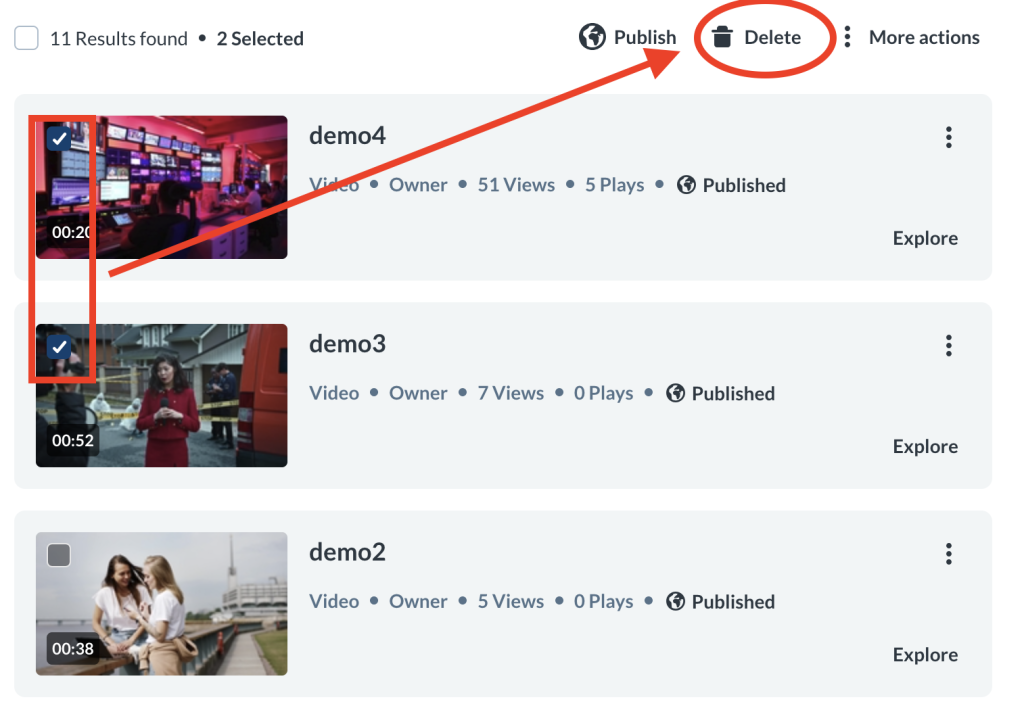
To delete more than one item, tick the checkboxes on the upper left of the desired entries, then scroll to the top of the page, and click Delete.
A message will appear asking if you would like to move the entry into the recycle bin. Click Delete to move the entry.

The entries will be sent into the recycle bin for 30 days, after which they will be permanently deleted by the system.
Delete from Preview
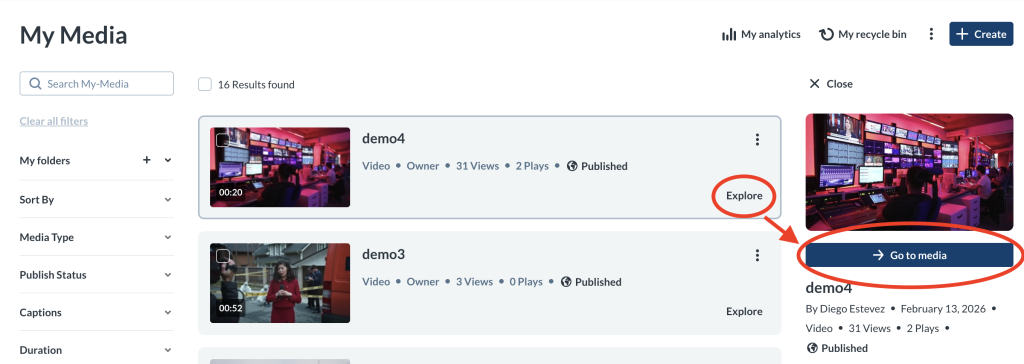
You can delete an entry from inside its preview page. To see the preview page for an entry, click on Explore on the entry and then click Go to media.
Next, click on the ellipses underneath the preview of the entry.
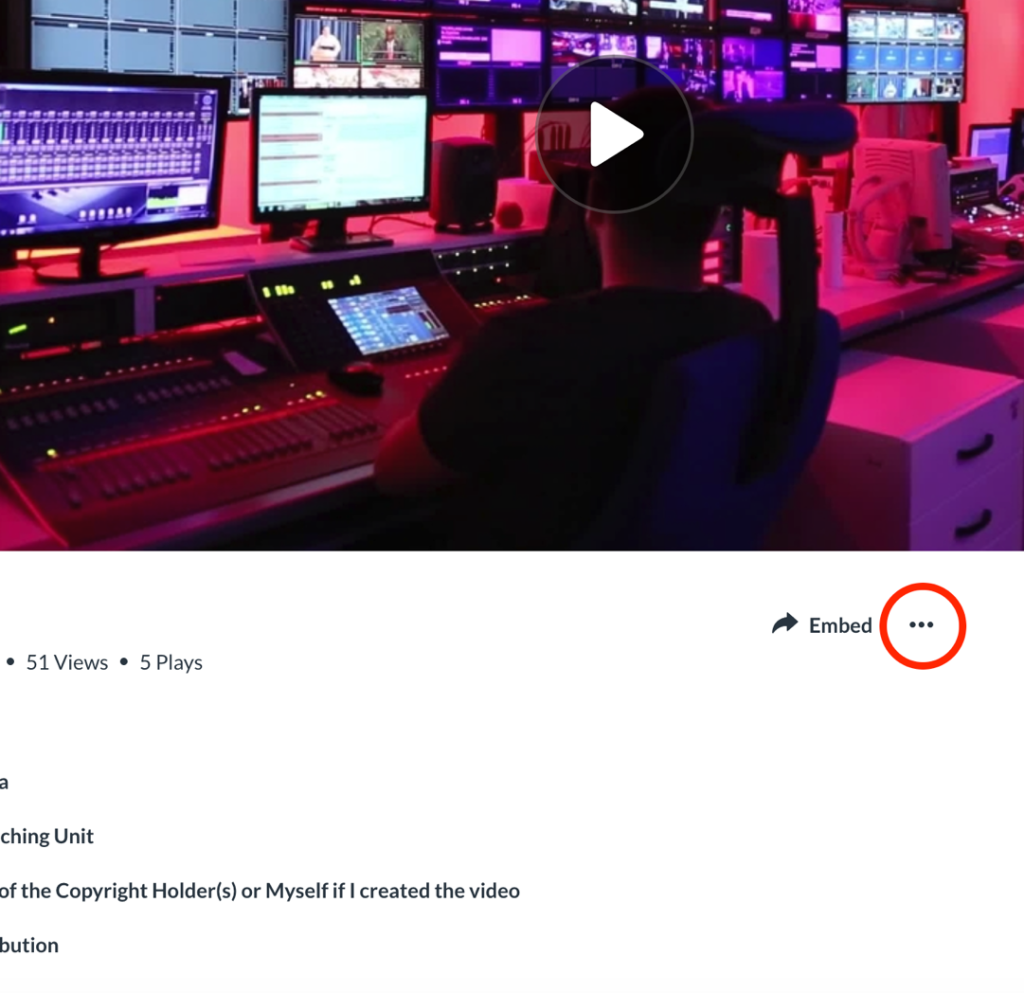
Then click Delete.
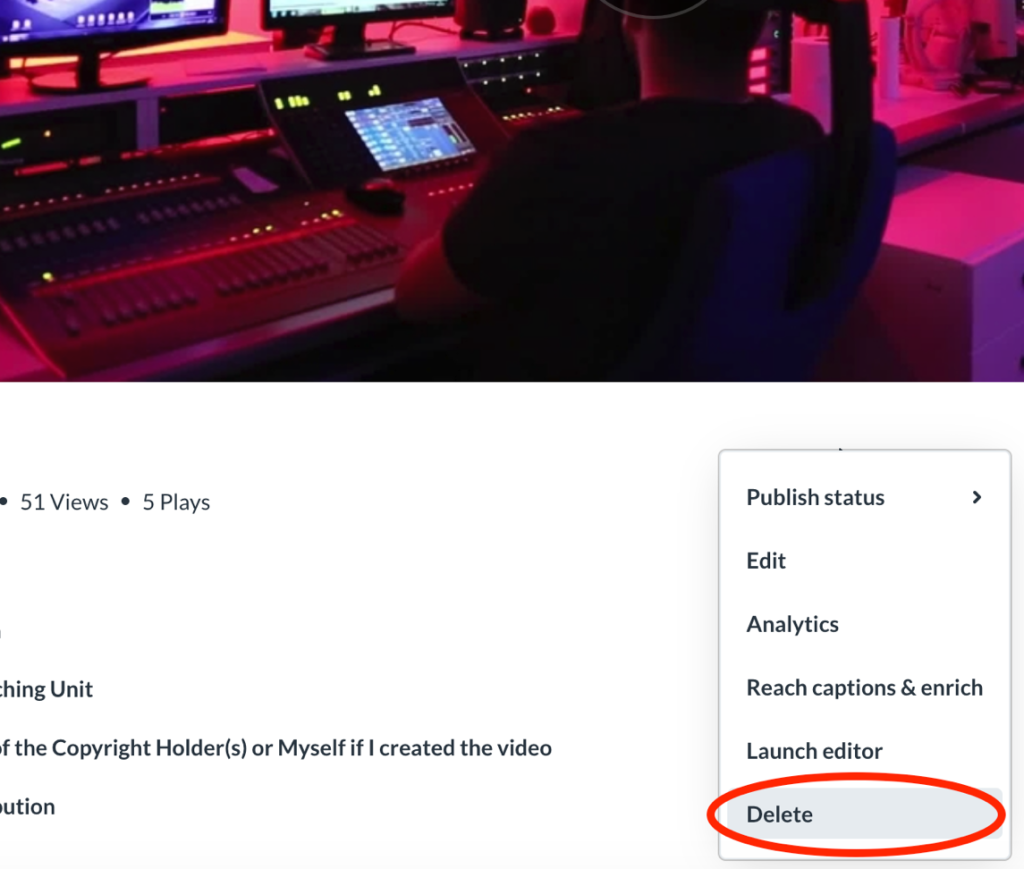
A message will appear asking if you would like to move the entry into the recycle bin. Click Delete to move the entry.

The entry will be sent into the recycle bin for 30 days, after which it will be deleted permanently by the system.
Delete Permanently
If you’re sure you want to permanently delete entries you have sent into the recycle bin right away, enter the recycle bin by clicking on My recycle bin at the top of My Media.

From here you can delete a single entry by clicking the trash icon to the right of the entry or by ticking the checkbox to the left of that entry’s thumbnail, selecting the Actions menu and then Delete.
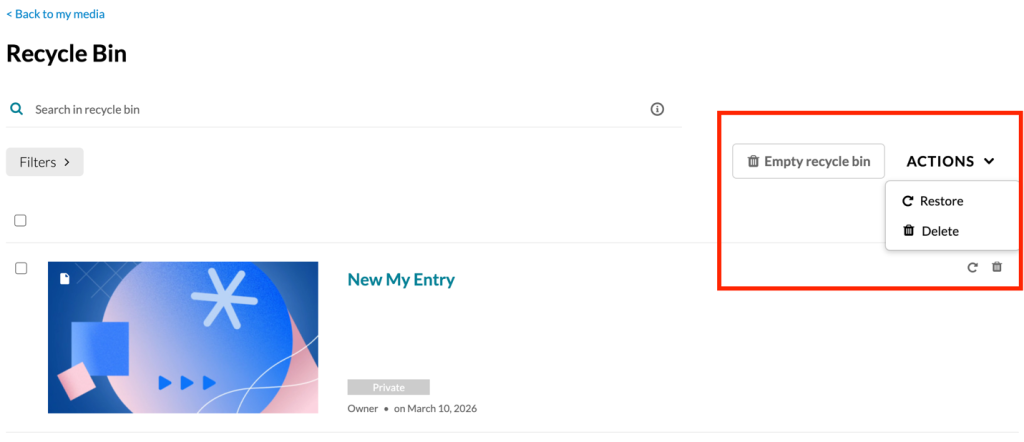
To delete all entries inside the recycle bin click on the Empty recycle bin button.
Deleting From the Recycling Bin
Entries deleted from the recycle bin cannot be restored. Any items deleted from inside the recycling bin it cannot be recovered.
Related Posts
