


- Updates
- August 2026 Learning Hub Updates
August 2026 Learning Hub Updates
Quizzes – Improved filter and source dropdowns in Question Library | Updated
This update improves the source and filter dropdowns in the Browse Existing Questions dialog to better align with Brightspace standards and provide a more consistent experience.
Both dropdowns now include a search option, helping instructors find sources and filters more quickly.
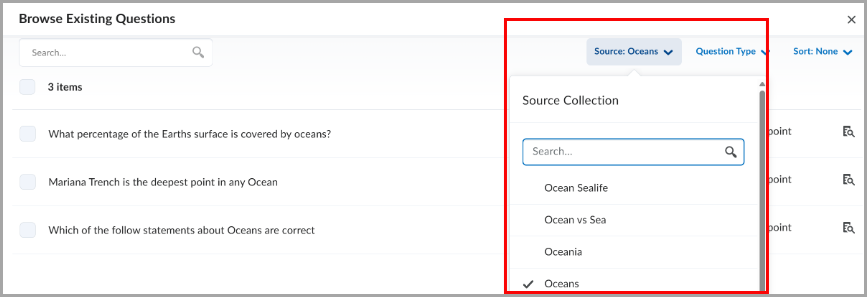
Figure: The Source dropdown with a search field in Question Library.
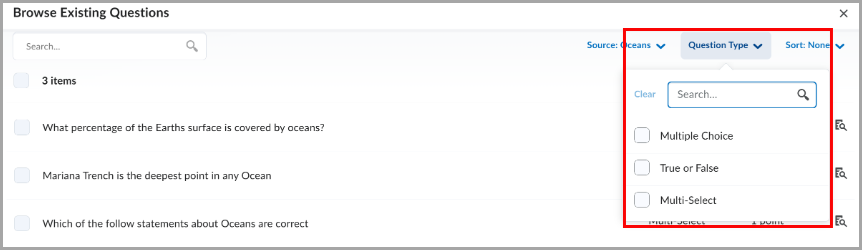
Figure: The filter dropdown with a search field in Question Library.
Technical Details
Impact:
- Slight impact to instructors due to improved usability when searching and selecting sources and filters in Question Library.
Availability:
- This feature is available to all clients.
Quizzes – Flag questions and strikethrough answer options | New
This release introduces the question annotation option in Quizzes. Learners can flag quiz questions to revisit later and apply strikethrough formatting to answer options to help narrow their choices.
Learners can select the bookmark icon  beside a quiz question to flag it for review. Flagged questions appear in the left navigation, allowing learners to quickly return to them.
Learners can also select the strikethrough icon  beside answer options to eliminate choices they believe are incorrect.
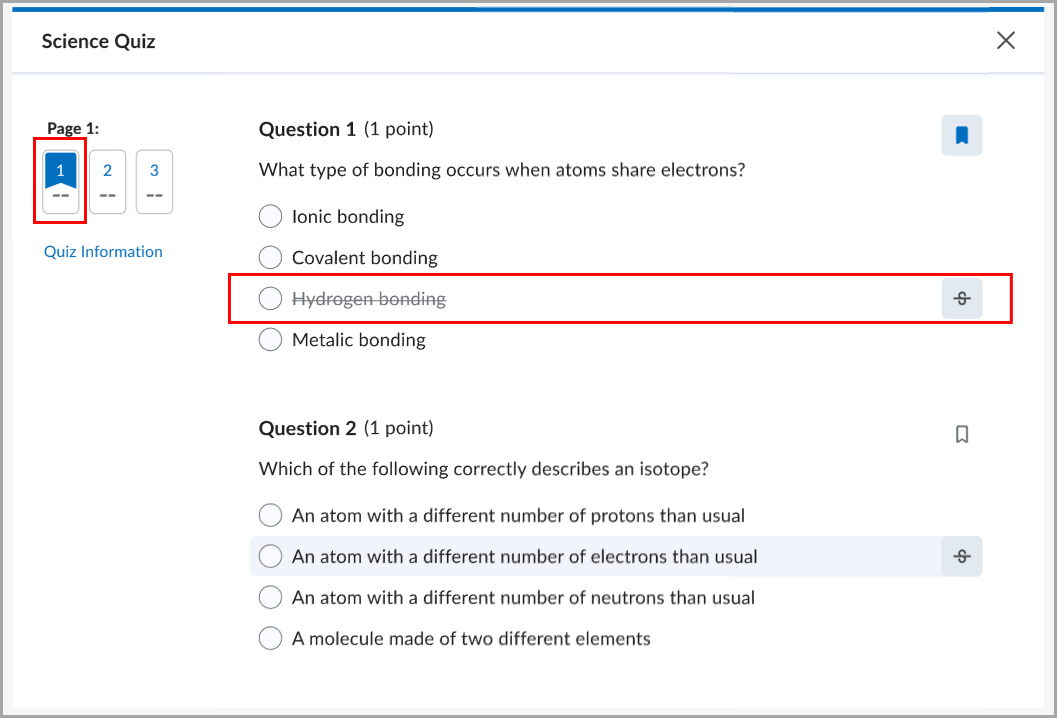
Figure: A flagged quiz question with an answer option shown in strikethrough.
Instructors can disable these tools for learners by selecting Hide question annotation tools in the Timing & Display section of the quiz edit page.
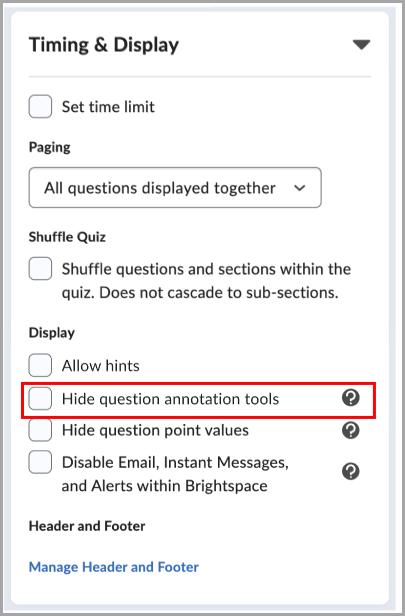
Figure: When creating or editing a quiz, in the Timing & Display section, select Hide question annotation tools to disable question flagging and answer option strikethrough for learners.
This feature implements the following PIE item:
- D7075 (Highlight, strikeout, and flag quiz questions and answer choices)
Technical Details
Impact:
- Slight impact to administrators due to the ability to disable question annotation tools for all users by turning the d2l.Tools.Quizzes.AnnotationTools (Org) configuration variable OFF at the Org or OrgUnit level.
- Slight impact to instructors due to the ability to show or hide question annotation tools for learners on a quiz-by-quiz basis.
- Moderate impact to learners due to the ability to flag quiz questions for review and use strikethrough formatting to narrow answer choices.
Availability:
- This feature is available to all clients.
For more detailed information, please visit the D2L Brightspace Community – August 2026 Updates
** Not all features listed on the link are used with the BCIT Learning Hub