


- Resource
- Instructor Resources
- How to rollover course materials from a template (all or partial rollover)
How to rollover course materials from a template (all or partial rollover)
Parent templates are the course templates associated with the current course offerings. Course materials from a template can be rolled over to the course offering shells for each term.
Copy ALL items from the template (rollover)
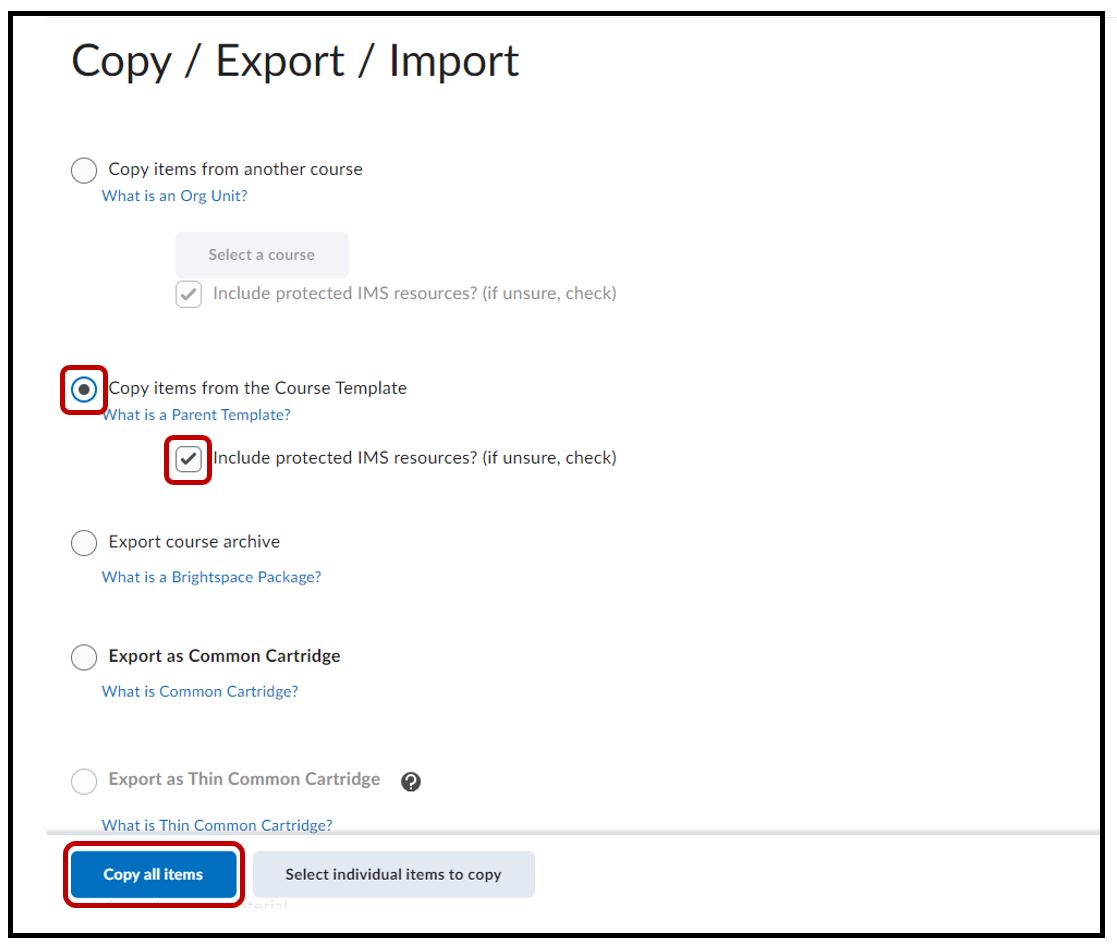
Go into your empty course offering shell (target course) > click Edit Course > locate and select Copy / Export / Import

Select the radio button Copy items from the Course Template > make sure the Include protected IMS resources option is selected > Copy all items
System will copy all items from the template. A Copying in progress message will appear

Please wait for the checkmark to appear before navigating away from the page.

Copy SELECTED items from the template to course
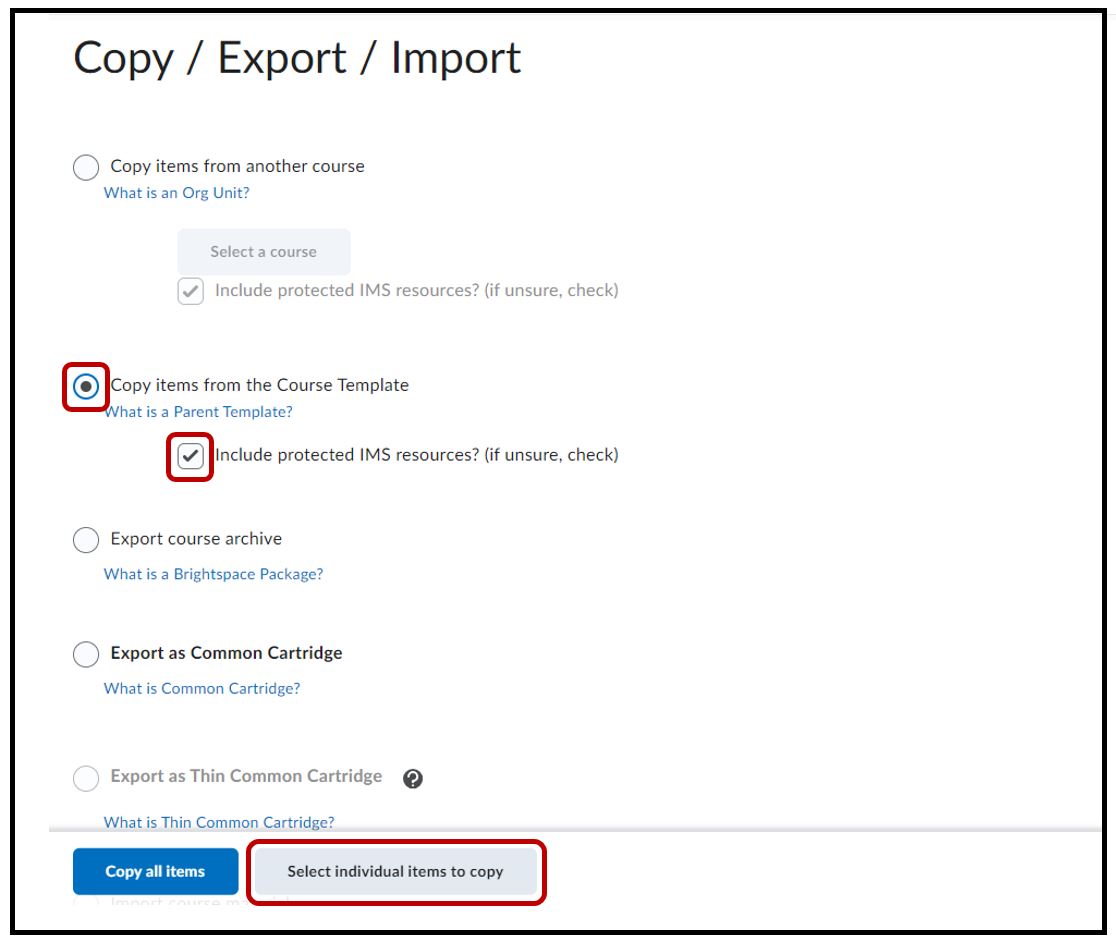
Go into your new, empty course shell (target course) > click Edit Course > locate and select Copy / Export / Import
Select the radio button Copy items from a course template > click on Select individual items to copy
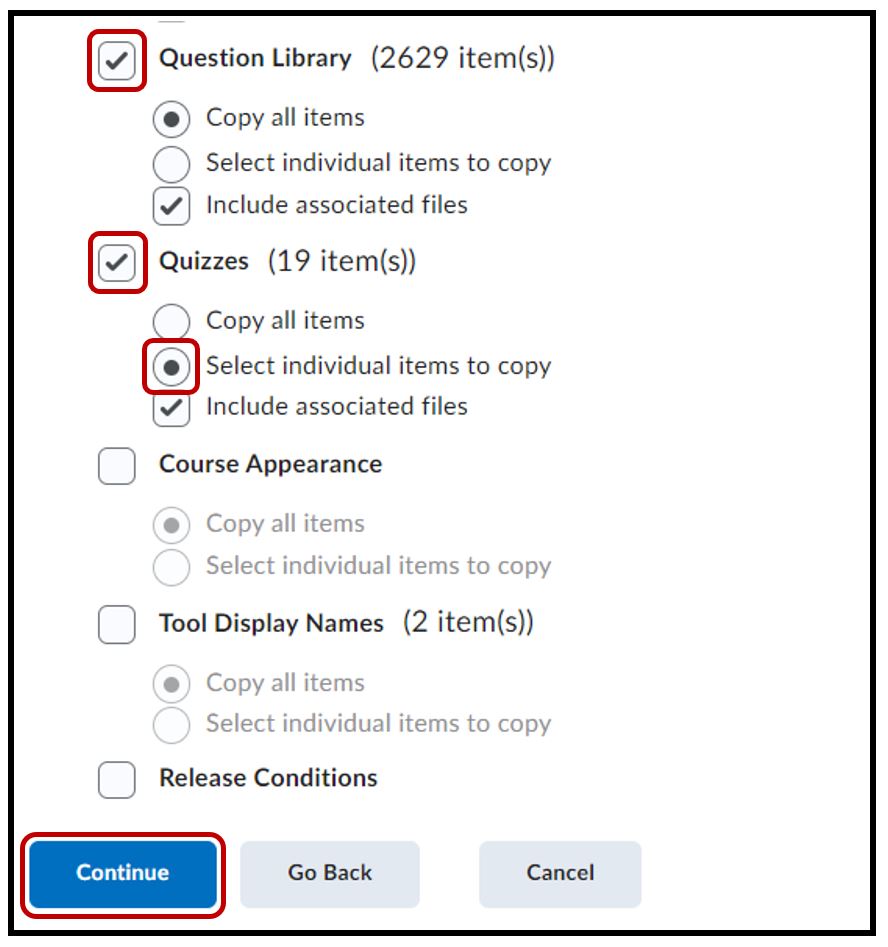
Scroll and select the items you would like to copy from the template to this course offering > click on Continue and the system will begin the copy process
System will copy all items from the template. A Copying in progress message will appear
Please wait for the checkmark to appear before navigating away from the page.
Related Posts
