


- Resource
- Quiz - Instructor
- Quizzes – Override/Modify a Question From a Quiz After It Has Been Taken
Quizzes – Override/Modify a Question From a Quiz After It Has Been Taken
If you end up with a bad question on an exam and find that students marks need to be modified after a quiz has been attempted, it can be adjusted.
Warning
DON’T DELETE THE QUESTION as all future attempts of this quiz will be modified to the correct version.
Instead give students who answered the question incorrectly according to the system a point, here’s how:
In the example below, A is the correct answer that has been set up for the question. You now want to give students who selected B and C a point too. Students who selected D do not get any points.
Select Quiz
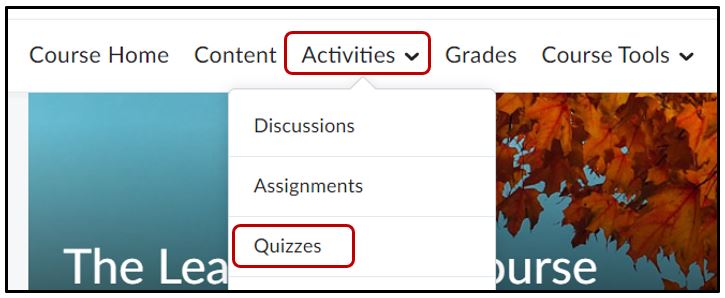
Go to your Quiz by clicking Activities > Quizzes
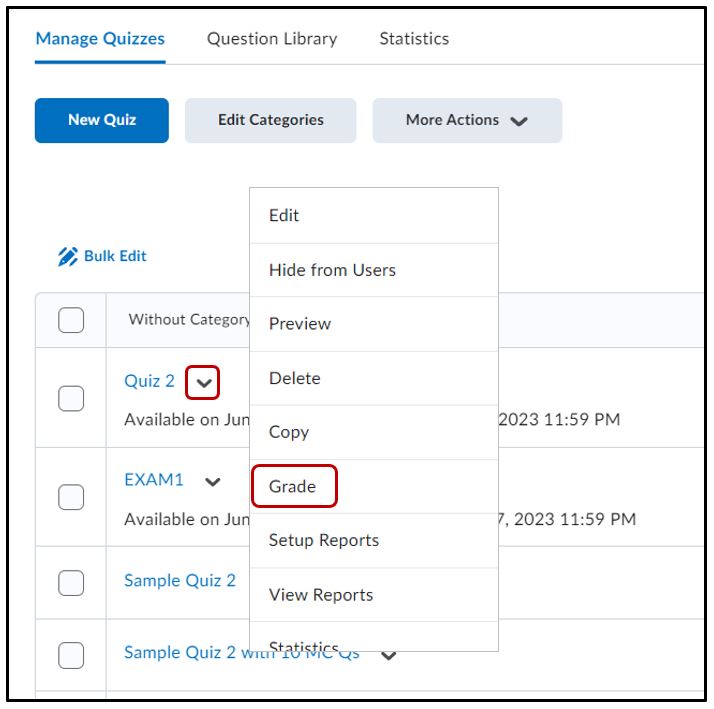
Select the dropdown beside the quiz > Grade
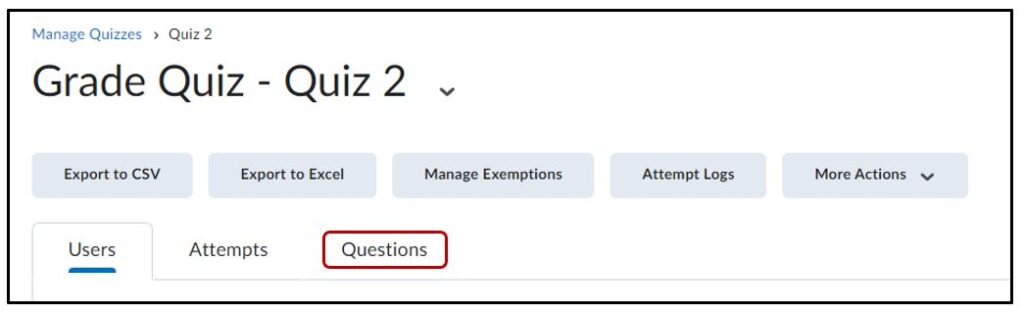
Select the Questions tab
Click on the Questions tab at the top of the page
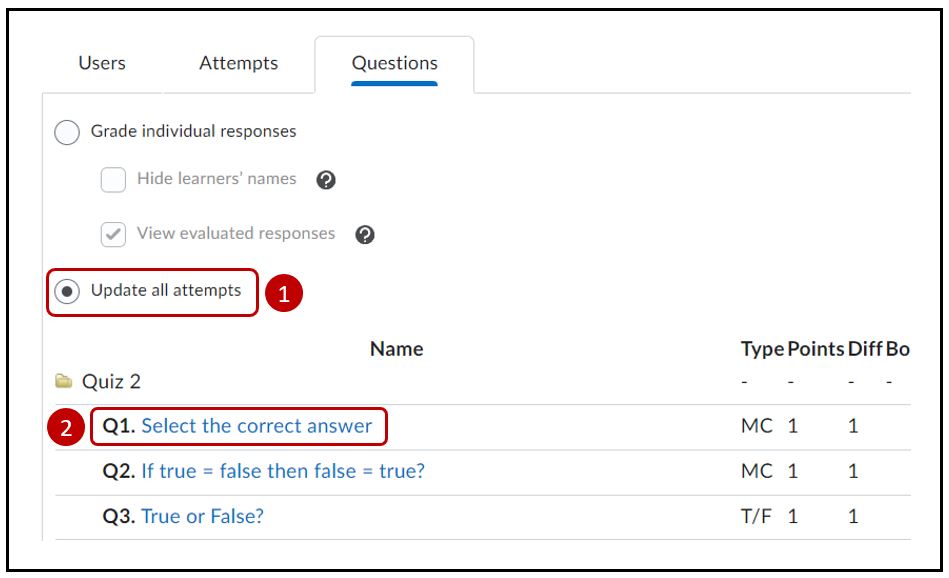
Update All Attempts
Select Update All Attempts > the choose the question that’s the issue (in this example it’s Question 1)
Adjustments
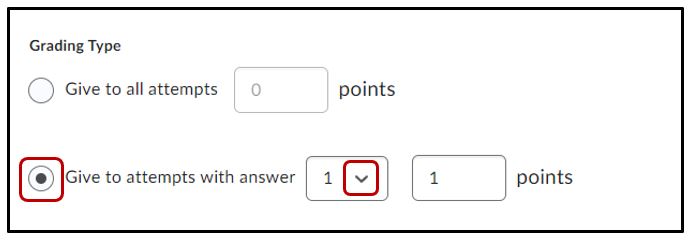
You can adjust who to give points to based on how they answered the question
If your question is just a bad one, you might want to provide everyone with a point instead
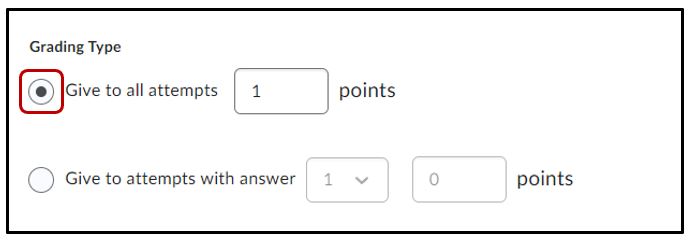
Save to update all scores for this question
Notes
- You might have to re-publish the grades after the points have been adjusted. If you do not know how to do this, then please see the job aide on publish grades from quiz attempts.
- You can also take away points by selecting an answer and putting a 0 in the points.
Related Posts
