


- Resource
- Class for Teams - Student
- Class for Teams – Accessing the class meeting (Students)
Class for Teams – Accessing the class meeting (Students)
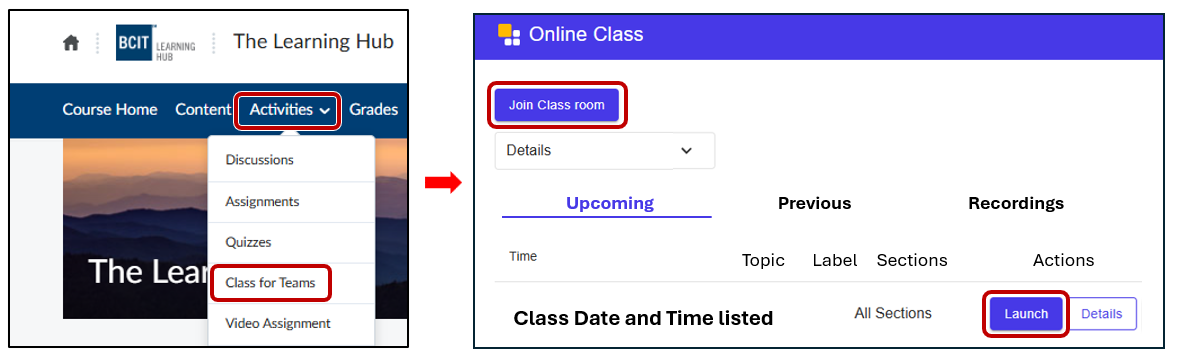
Anyone accessing Class for Teams at BCIT should do so through the Learning Hub, using the Activities > Class for Teams option from the course navigation bar.
If your instructor provided a Class for Teams link on the News page of the course, it may not work. Use the method listed above.
⚠️ The Join Class room button and Launch button will appear on the scheduled date and time of the class. Please check the start date and time.
Related Posts
