


- Resource
- Uncategorized
- Kaltura – Analytics Terminology
Kaltura – Analytics Terminology
This article clarifies terminology used for all Kaltura analytics tools in the Learning Hub.
Note
Some viewer metrics, such as Unique Viewers and Active Users, are estimated. Anonymous users are counted as one. Dashboard values may differ slightly (~2%) from exported reports due to calculation differences.
| Metric name | Definition | Notes |
|---|---|---|
| Avg. Completion Rate | Average percentage of completion, across all plays.
Example: If a user once watched 20% of the video and the second time watched 80% of the video, the calculation will be: |
|
| Avg.Drop off Rate | The average percentage of drop-off quartile (last quartile watched), across all plays.
Example: If a user once watched 20% of the video and the second time watched 80% of the video, the calculation will be: |
|
| Avg. Min Viewed | The average of minutes viewed per play (total minutes viewed/total plays). | |
| Avg. View Time | The average of minutes viewed by the user, calculated by quartile, per play. | |
| Minutes Viewed | Total number of playback minutes played by the viewers, based on quartile milestones.
Example: If a user watched 4 minutes from a 10-minute video it will be calculated as 2.5 minutes (25% milestone). |
|
| Playback Context | Playback context shows where viewers accessed your content, such as the specific course or media gallery. Entries played outside known playback contexts are marked as “Unknown”. | |
| Played Entries | Video entries with at least one play event associated with them. | |
| Player Impression | A player impression event is counted each time the player is loaded on the page. | |
| Player Impression Ratio | The number of plays divided by number of impressions. | |
| Plays | A play is counted when a user clicks the Play button to watch a video. If the player is set to auto-play, a play event will be counted when the player begins to play the video. | Pausing and resuming is not counted as additional Play events. |
| Plays Distribution | Number of plays divided by the total number of plays in the selected timeframe. | |
| Top Video Score | Video Score is calculated by a proprietary formula, taking into account multiple parameters such as unique viewers, plays and avg. completion rate. | |
| Total Completion Rate | Total percentage of the associated video watched per user, accumulated across all play sessions, excluding repetitions. For example: If the video is an hour and the user watched the first 20 minutes the first time and watched the first 30 minutes the second time, the total completion rate will be 50%. | |
| Unique Authenticated Views | For a certain frame in the video how many unique views for all users. Users can view the same time frame several times and be counted as one unique view. |
Kaltura Entry Analytics dashboard only
“Views vs. Unique Authenticated Views by time” graph. |
| Unique Viewers | Unique Viewers = Unique User IDs. An estimated count of unique authenticated viewers who had an active viewing action during the selected time period. All unauthenticated or anonymous users are counted as one. Values may differ slightly (by ~2%) from exported reports due to differences in calculation methods. |
Player Impressions are not counted as a viewing action. |
| Views | For a certain time frame in the video, the number of total views across all users. | Kaltura Entry Analytics dashboard only
“Views vs. Unique Authenticated Views by time” graph. |
Entry-level analytics terminology
Kaltura Entry Level Only
The following below only applies to the Kaltura Entry level analytics tool. See Kaltura My Media – Entry Analytics
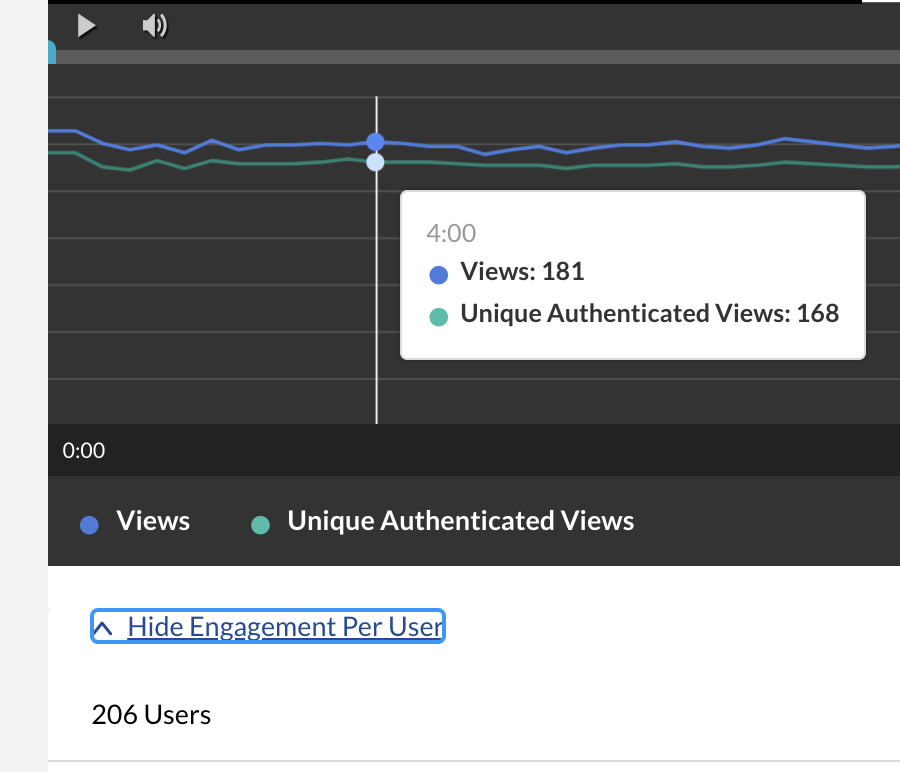
Views: The number of users that press play and their viewership throughout the entry. The graphical user interface (below) displays how many users view each minute of the entry.
Unique Authenticated Views: equivalent to views, but counted once. 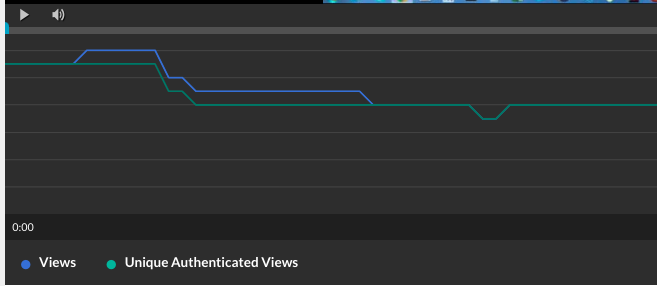
Users: Users who have either “played” or “viewed” the media
Related Posts
