


- Resource
- How To - Student
- How to Access Your Course if it is Closed
How to Access Your Course if it is Closed
If your course appears greyed out, it usually means one of the following:
- The course is closed, or
- The Access Begins date and time have not yet been reached.
You will be able to access the course on or after the date and time shown under Access Begins.
Please note that the Access Begins date and time indicate when the online course becomes available. They do not represent your in-person class schedule. For information about your class dates and times, please refer to your course schedule.
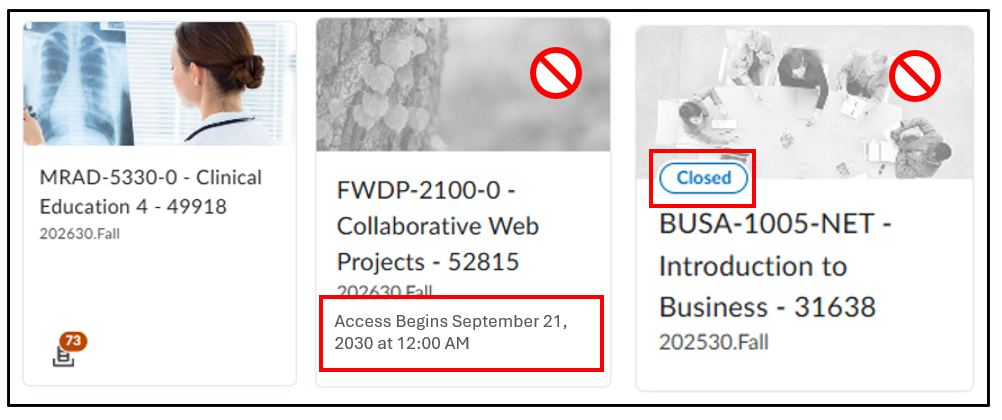
eg. The middle course will accessible starting September 11, 2030 at 12:00 AM.
What to Do
- If the course is greyed out and shows a 🚫 icon when you hover over it, this does not mean the course is broken—it simply means access isn’t available yet or it is closed
- If your instructor says you should have access but the course is still closed, they may need to update the start date. Please email your instructor to request this change.
- If you don’t know your instructor’s email, contact learninghub@bcit.ca and include:
- Your full name
- Your BCIT ID number (e.g., A09876543)
- The full course name and number (e.g., MOOC-0200 Indigenous Awareness 67041)
Related Posts
