


- Resource
- Instructor Resources
- Quizzes – How to Import Questions into Question Library from an Existing Quiz
Quizzes – How to Import Questions into Question Library from an Existing Quiz
Why Use the Question Library?
Questions added directly to a quiz are not automatically saved in the Question Library. Importing them ensures you don’t lose content if the quiz is deleted.
For better organization and long-term use, we recommend creating quiz questions directly in the Question Library before adding them to a quiz.
Course Question Library
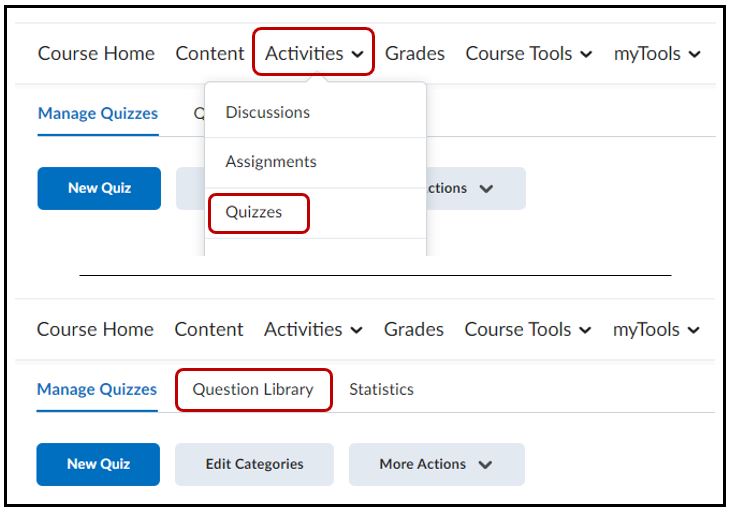
Select Activities > Quizzes > Question Library tab
Create a Section in the Question Library
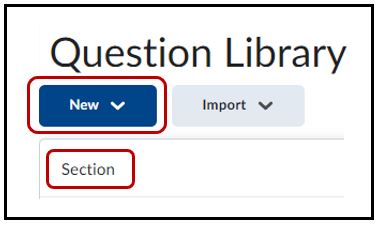
Create a new section by clicking on New > Section
Enter the Section Title (e.g. “Chapter 1”). You may wish to create other parent section or enter other text to help you identify the questions you will be importing (such as the name of the quiz) > Save
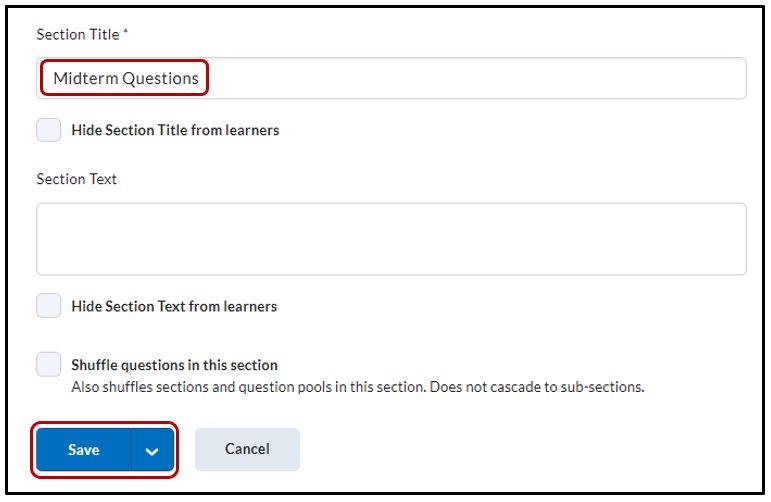
* A section is a folder for keeping your questions organized. This step is unnecessary if the questions you are importing already exist in a section.
Import the Questions into the Question Library
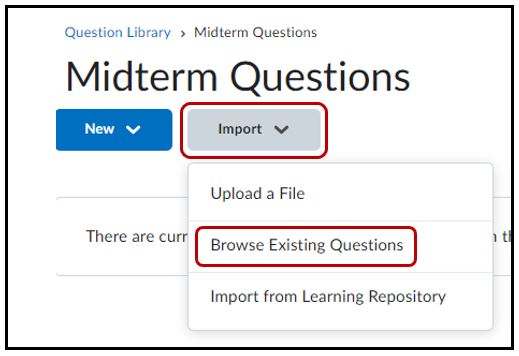
From the Question Library, click on the newly created section folder to enter it. Select Import > Browse Existing Questions
Click on Source and locate the existing quiz to import questions from.
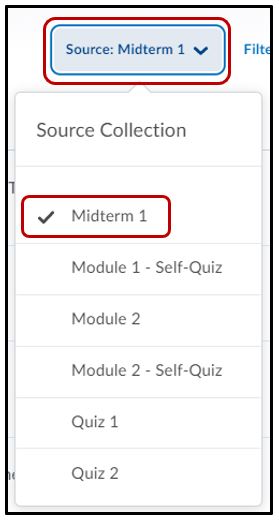
Selecting questions to import
Check the box next to the questions/section you would like to import, or check the box at the top to select them all > Import
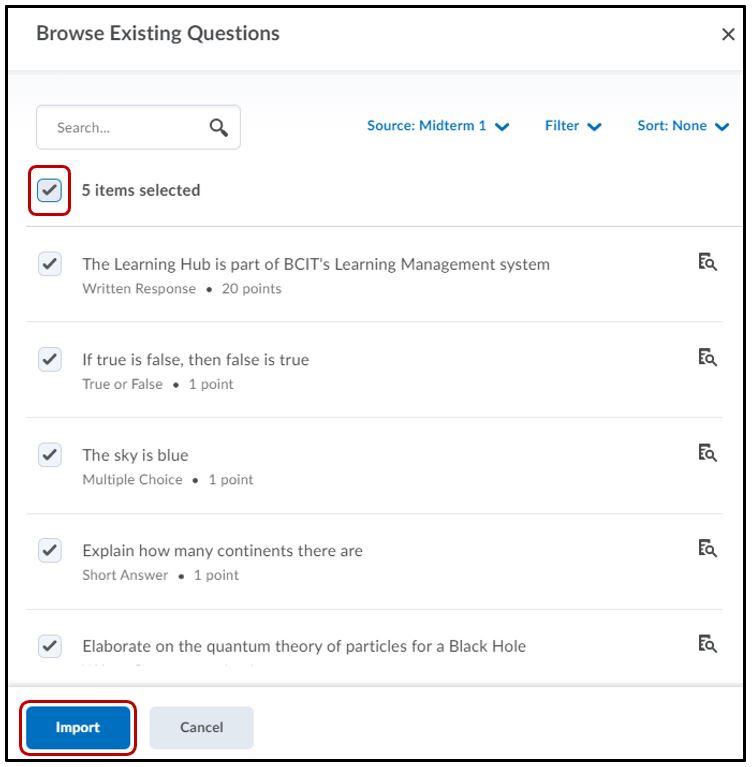
Repeat steps until you have finished copying your quiz questions into the Question Library.
Check to make sure that the sections and questions are organized in the Question Library as you would like them and move sections/questions as needed.
Click the Done Editing Questions button.
Important Notes
- The Question Library stores questions independently from quizzes in The Learning Hub.
- Questions added directly to a quiz are not automatically saved in the Question Library.
- To protect your content, manually import any quiz questions into the Question Library if they aren’t already stored there.
- This acts as a backup in case the quiz is deleted.
⚠️ You cannot import questions from a quiz that uses a Question Pool. Because questions are randomly selected, the system cannot identify which ones to import.
NOTE: This method cannot be used to import questions from the publisher’s test bank. For more information, please refer to the job How to Import Quiz Questions from a Publisher.
Related Posts
