


Kaltura Capture – Folder Directory
The Kaltura Capture directory is where you’ll find all the essential files and settings for your recordings and the application itself. The directory contains the following folders:
- Bin: Holds the KalturaCapture executables.
- Logs: Stores the application and UploaderService logs.
- Recordings: Contains local copies of your recordings.
- Settings: Stores the application’s settings.
How to locate the Capture directory
Windows
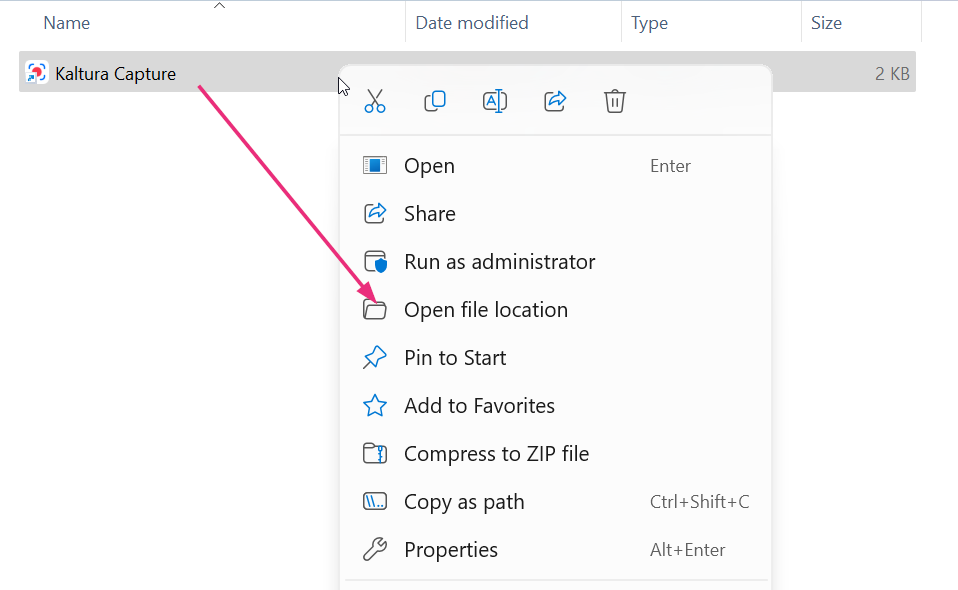
Perform a search in your computer’s search field, then in the Kaltura Capture app window, click Open file location.

The Kaltura Capture file displays.

Right click on Kaltura Capture and select Open file location from the drop-down menu.
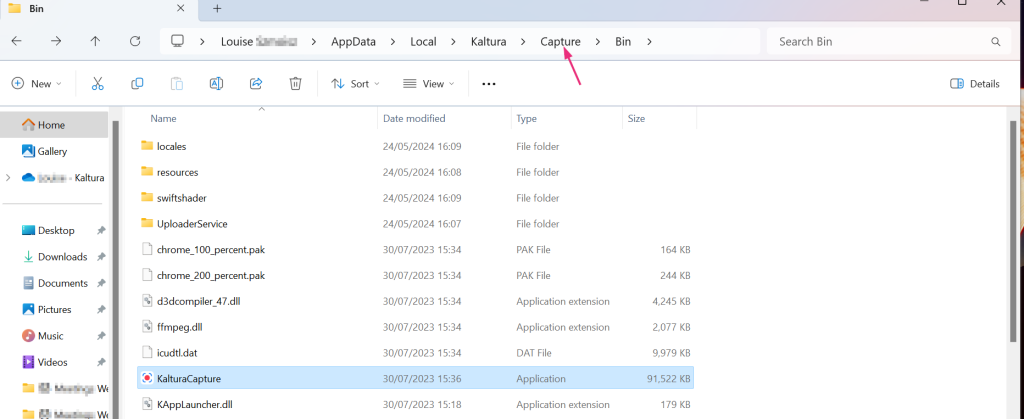
At the top of the directory, go up one folder by clicking Capture.
The Capture directory displays.
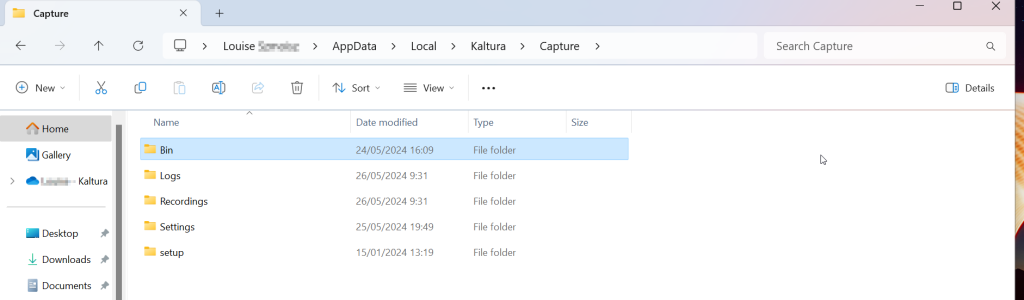
Default Windows Directory
This path gives you direct access to Kaltura Capture’s directory, where you can manage or review application files as needed.
C:\Users\<username>\AppData\Local\Kaltura\Capture
MacOS
Click the Go menu and select Go to Folder.
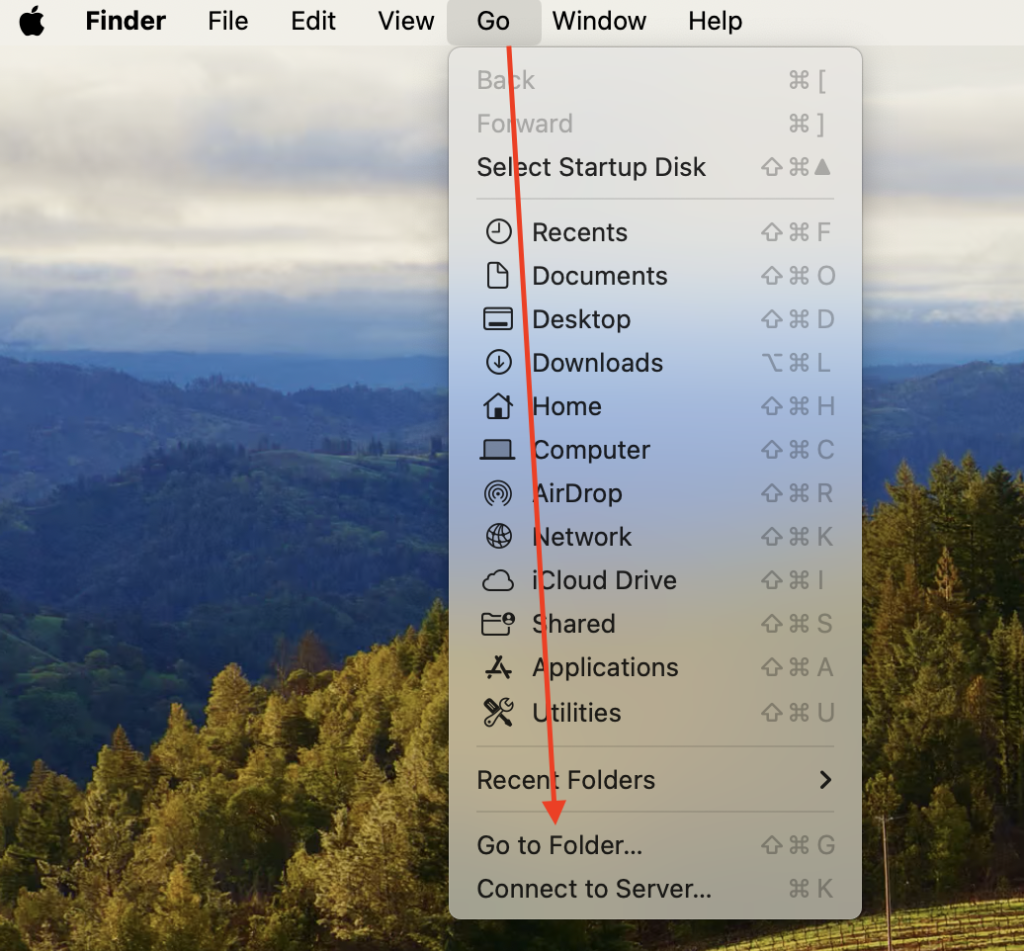
In the form that displays, enter ~/Library/Preferences/Kaltura/Capture/, then hit Enter on your keyboard.

The directory displays.
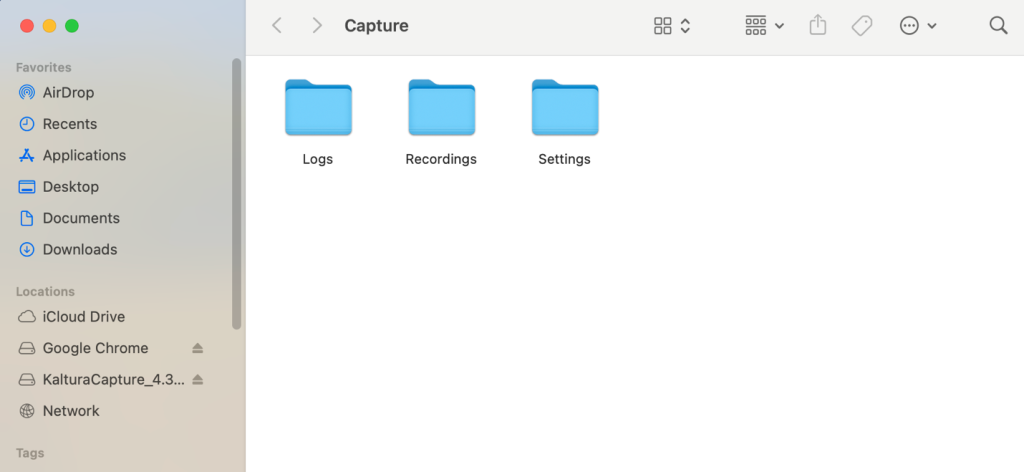
Default Mac Directory
This path gives you direct access to Kaltura Capture’s directory, where you can manage or review application files as needed.
/Users/<username>/Library/Preferences/Kaltura/Capture/
Related Posts
