


Kaltura – Student Guide
Kaltura provides several tools in Learning Hub to help you create, submit, and share media in your courses. Kaltura is made up of six tools: My Media, Insert Stuff, Editor, Capture, Quizzes and Media Gallery.
Creating Media with Kaltura
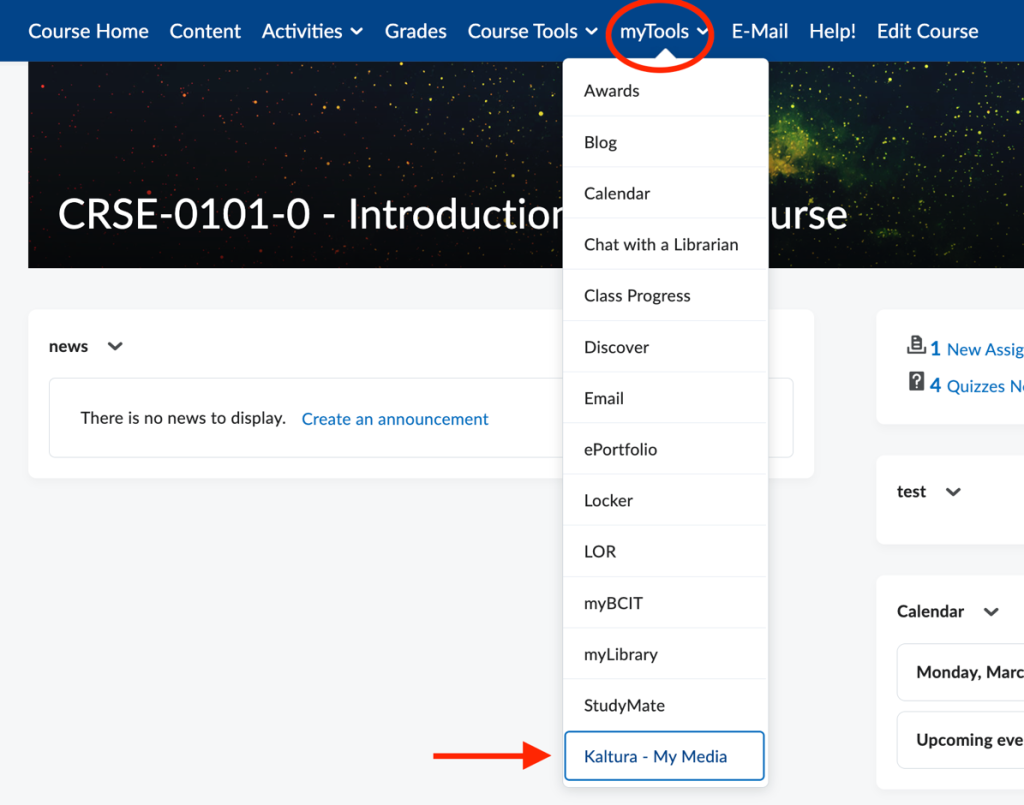
- Kaltura My Media – Your personal media library where you can upload, store, and manage your videos and files. See Kaltura My Media – Overview.
Start Here
We recommend starting with Kaltura My Media. To find My Media in your course, select My Tools and Kaltura – My Media in the course navbar.
- Kaltura Capture – A recording tool for creating videos using your webcam, screen, or both. Recordings are automatically saved to My Media. See Kaltura My Media – Capture.

- Kaltura Editor – An editing tool for trimming, splicing and duplicating media. Edited media is automatically saved to My Media. See Kaltura My Media – Kaltura Editor Tool.
Submitting Kaltura Assignments or Discussions
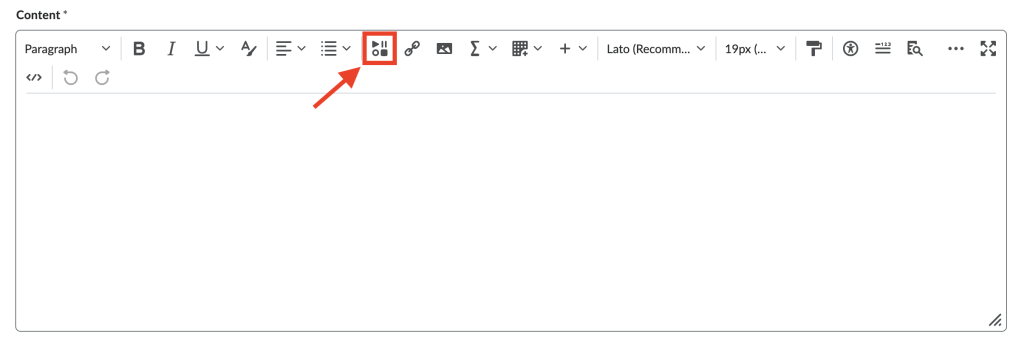
- Insert Stuff (Kaltura BSE) – The main tool used to submit video assignments. It lets you embed media from My Media into assignments and discussions. See Kaltura – Submitting Assignments.
Taking a Kaltura Quiz
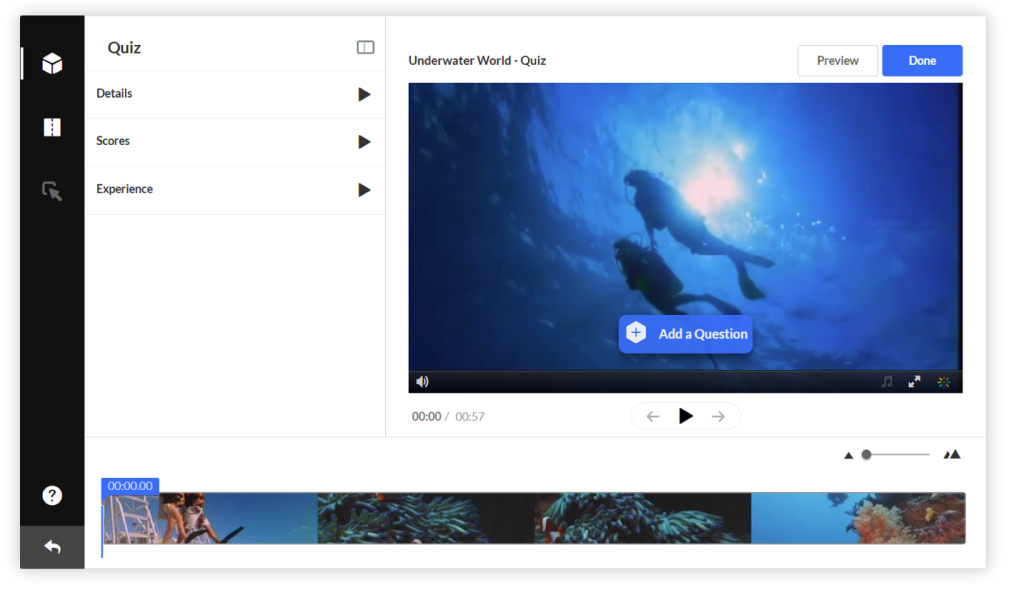
- Kaltura Quiz – Some instructors use the Kaltura Quiz tool to create quizzes based on their media. Follow this guide to learn how to access and complete them: See Kaltura – Taking a quiz.

Sharing Media with Your Class
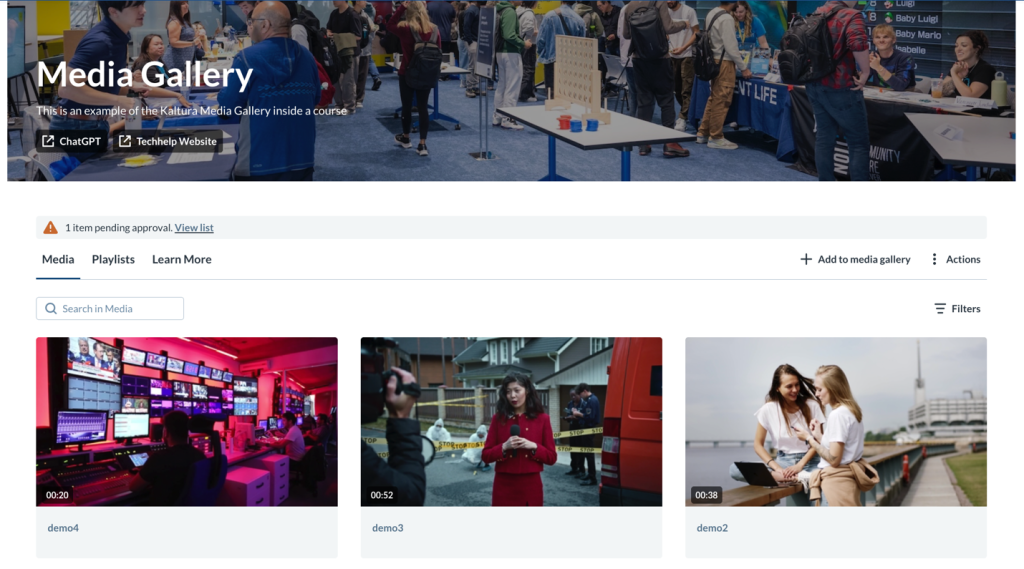
- Media Gallery – A course-level space for sharing media with classmates. Uploads may require instructor approval, and not all courses use this tool. Kaltura Media Gallery – Adding Media.
Need Help?
If you need assistance with anything related to Kaltura, the ETS Team is here to help. You can reach us by:
- Phone: 604‑412‑7444 (option 2)
- Email: learninghub@bcit.ca
- Submit a ticket: ServiceNow
Related Posts
