


Kaltura Editor – Kaltura Editor Tool
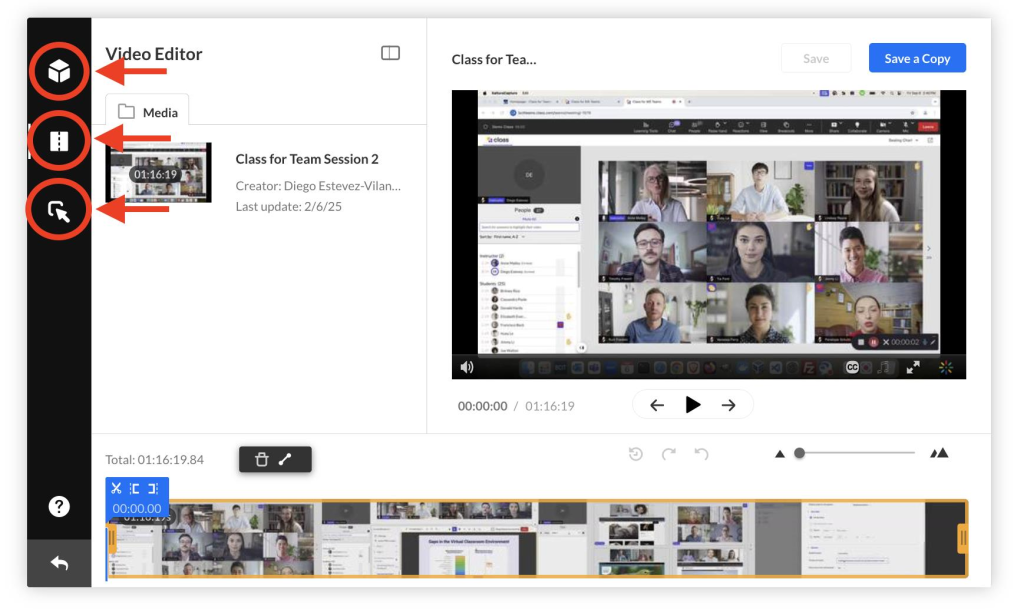
Use the Kaltura Editor to make significant changes to a media entry, create a copy, or convert it into a quiz. The Kaltura Editor includes three main tools, available from the left-side menu:
| Tool Icon | Tool Name | Tool Description |
|---|---|---|
 |
Editor Tab | Trim your entry, split segments, or add fade‑in and fade‑out transitions. Please see Kaltura Editor – Video Editor |
 |
Quiz Tab | Convert the entry into a Kaltura Quiz. Please see Kaltura Quiz – Setting Up |
 |
Hotspots Tab | Add interactive elements such as pop‑ups, informational callouts, or clickable links. Please see Kaltura Editor – Hotspots |
Supported Entry Types
The table below shows which entry types the Kaltura Editor supports as well as the tools are available.
| Entry Type | Create & Edit Quiz | Clipping & Trimming | Chop & Splice | Adding Hotspots |
|---|---|---|---|---|
| VOD | Supported | Supported | Supported | Supported |
| Audio | Not Support | Supported | Supported | Not Supported |
| YouTube | Supported but not recommended | Not Supported | Not Supported | Not Supported |
| Quiz | Supported but not recommended | Supported | Supported | Not Supported |
How to Launch the Editor
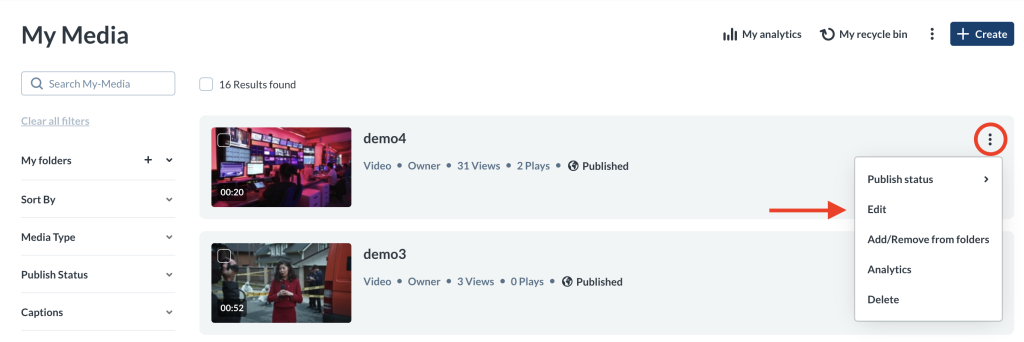
There are two ways of opening up the Kaltura Editor.
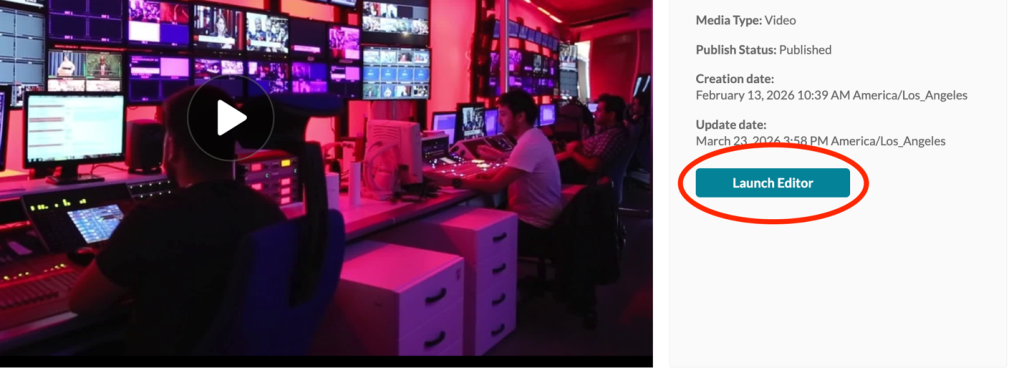
Option 1: From the Preview Page
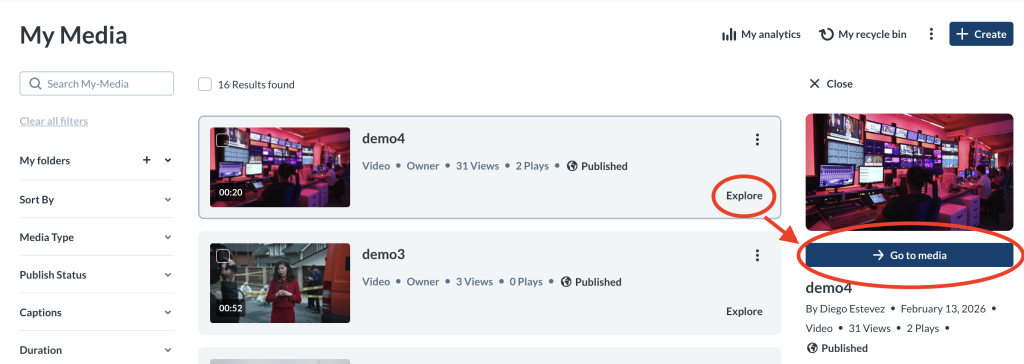
- Go to My Media.
- Locate the media entry.
- Click Explore → Go to Media.
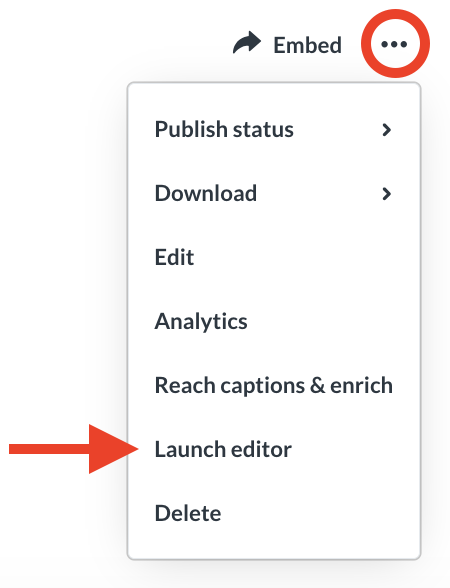
- Click on the
- Select Launch Editor.
Related Posts
